> For the complete documentation index, see [llms.txt](https://help.clausebuddy.com/llms.txt). Markdown versions of documentation pages are available by appending `.md` to page URLs; this page is available as [Markdown](https://help.clausebuddy.com/admin/managing-attributes.md).
# Managing attributes
Attributes allow you assign legal nuances to clauses — significantly increasing the search speed and search quality, as well as the legal knowledge moment in your team.
In order to assign attributes to clauses, you first have to create **attribute models,** i.e. specify the technical and legal "blueprint" for every attribute that will later on be assigned to clauses.
## Who can manage attribute models?
By default, in order to achieve some consistency across attributes, attribute models can only be created/managed by administrators. Once set up by the administrator, every user with clause editing rights can assign attributes to clauses.
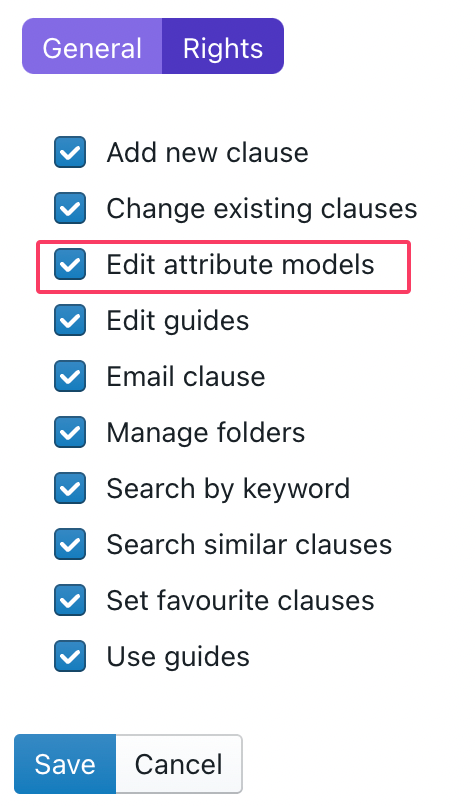
Optionally, you can also allow other users to edit attribute models, by [editing a specific user's right](/admin/managing-users.md) and activating the "Edit attribute models" right:
{% hint style="info" %}
It's usually a good idea to assign this right to curators.
{% endhint %}
## Types of attribute models
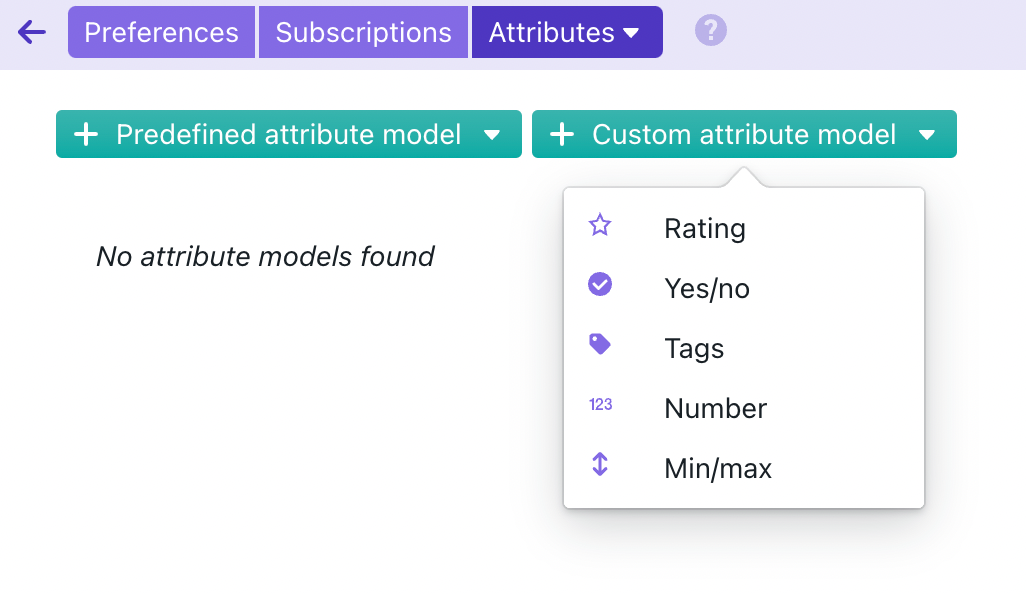
ClauseBuddy allows you to create five different types of attribute models.
* **Number** attributes can contain a number — e.g. 3, minus 25 or 5484512. You can for example use such attributes to specify the number of parties for which a certain clause is written; or assign an internal product code for which the clause is written; or a liability threshold for which a certain clause is relevant.
* **Min/max attributes** are similar to simple number attributes, but can additionally also have a minimum and/or maximum. For example, the number of parties for which a clause is written, should always be positive, so is actually best served by a min/max attribute.
* **Rating attributes** are actually simple numbers between 1 and 5, but are graphically shown as a number of stars. Use such attribute when there is a (subjective or objective) range of possibilities — e.g., to which extent a clause is buyer-friendly, or written in favour of the customer, or appropriate for cloud-contracts.
* **Yes/ no attributes** can specify, quite unexpectedly, either "yes" or "no". For example, you may want to create an attribute "aggressive" that would indicate that a clause is perceived as aggressive; or that the clause has extra-territorial effects; or that it only applies to consumer contracts.
* **Tag attributes** allow you to specify one or more tags to a clause. Such tags can either be predefined (e.g., to indicate the relevant jurisdiction for which a clause would be relevant, either "French law", "Dutch law" or "German law"), or be left open for the user to fill in.
## Creating a predefined attribute model
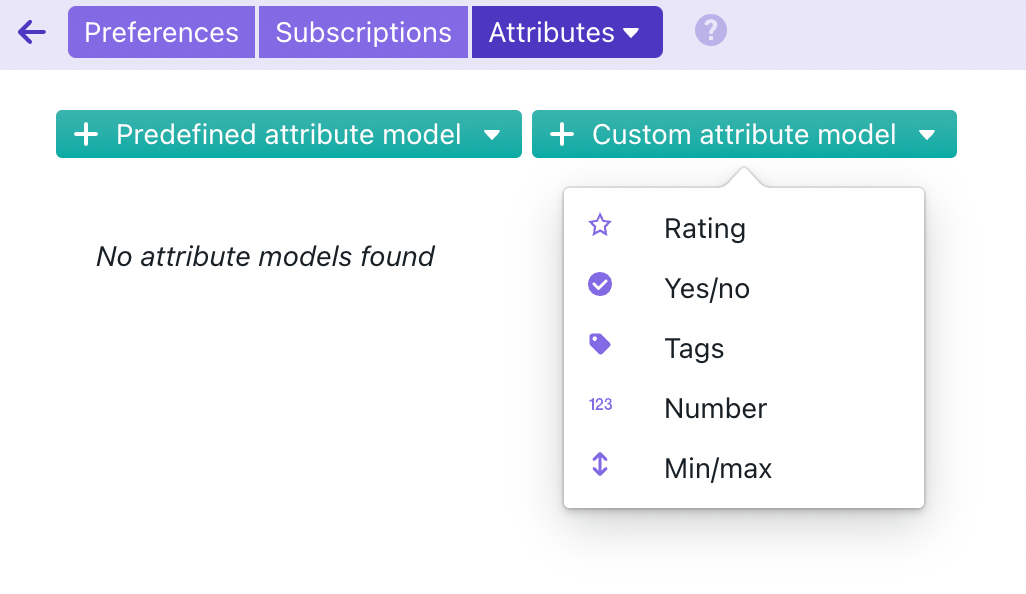
ClauseBuddy contains a selection of attribute models for various fields of law. Simply click on one of the predefined attribute models to load it into your account.
#### Creating a new attribute model
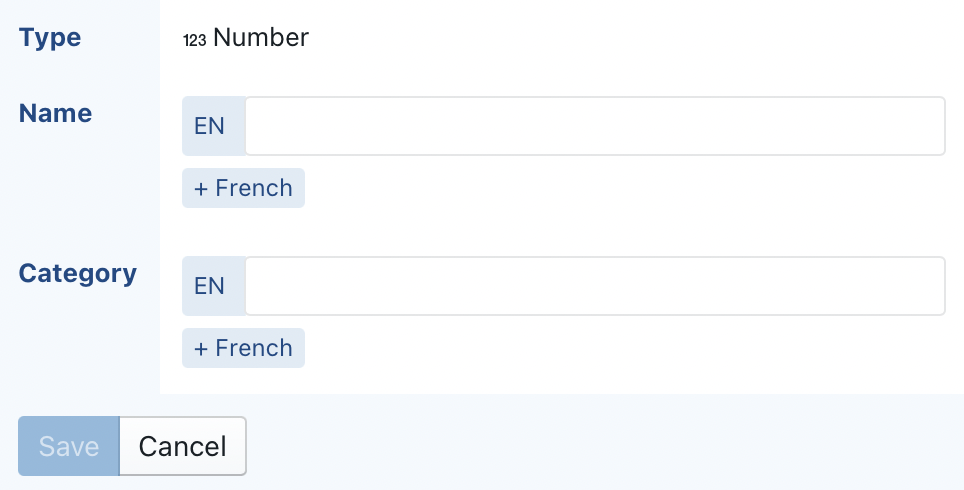
When you create a new attribute model (or edit an existing one), you are confronted with the following form:
* In the **Name** field, you can enter a description for the attribute model (optionally translated to facilitate the use of your library in other languages). You are **strongly advised to use a concise name**, because this name will be shown at the right side of ClauseBuddy, in the filtering panel.
* The **Category** field allows you to assign the attribute model to one or more categories. If you would have a large number of attribute models, this can facilitate some ordening. Note that the category is not shown in the filtering panel, but is shown when editing attributes in the clause editor.
---
# Agent Instructions
This documentation is published with GitBook. GitBook is the documentation platform designed so that both humans and AI agents can read, navigate, and reason over technical content effectively. Learn more at gitbook.com.
## Querying This Documentation
If you need additional information that is not directly available in this page, you can query the documentation by asking a question.
Perform an HTTP GET request on the following URL with the `ask` and `goal` query parameters:
```
GET https://help.clausebuddy.com/admin/managing-attributes.md?ask=&goal=
```
`ask` is the immediate question: it should be specific, self-contained, and written in natural language.
`goal` is what the user is ultimately trying to achieve, the reason they need the answer. Sharing it helps GitBook give you a better, more relevant answer. A goal is most helpful when it describes the outcome the user wants rather than restating the question. For example, with `ask=how do I create an API token`, a goal like `automate deployments from our CI pipeline` lets GitBook tailor the answer to that use case.
The response will contain a direct answer to the question and relevant excerpts and sources from the documentation.
Use this mechanism when the answer is not explicitly present in the current page, you need clarification or additional context, or you want to retrieve related documentation sections.